

Roles & Permissions
Running a chess club is rarely a one-person job. Whether you have a co-organizer who handles membership, a volunteer who directs your weekly blitz nights, or a parent who helps enter results at scholastic events, TournaChess gives you the tools to delegate responsibilities safely. This guide explains how the role system works, what each role can and cannot do, and how to manage your team as your club grows.
Role Hierarchy
TournaChess uses a four-tier role system within each club. Every role inherits all of the permissions of the roles below it, so an Admin can do everything a Tournament Director can do, and a Tournament Director can do everything a Member can do.
Owner > Admin > Tournament Director > Member
Roles are scoped to individual clubs. A single user can hold different roles in different clubs -- for example, you might be an Owner in your own club and a Member in another club where you play as a participant. Your role in one club has no effect on your role in any other club.
Permissions Comparison
The table below is the definitive reference for what each role can do. If you are deciding which role to assign someone, start here.
| Permission | Owner | Admin | TD | Member |
|---|---|---|---|---|
| View club and tournaments | Yes | Yes | Yes | Yes |
| Register for tournaments* | Yes | Yes | Yes | Yes |
| Create and manage tournaments | Yes | Yes | Yes | No |
| Manage pairings and results | Yes | Yes | Yes | No |
| Create virtual members | Yes | Yes | Yes | No |
| View and export player records | Yes | Yes | Yes | No |
| Create Grand Prix series | Yes | Yes | Yes | No |
| Delete tournaments | Yes | Yes | No | No |
| Invite members | Yes | Yes | No | No |
| Manage member roles | Yes | Yes | No | No |
| Manage club settings | Yes | Yes | No | No |
| Export registrations | Yes | Yes | Yes | No |
| Delete the club | Yes | No | No | No |
* Registering for tournaments also depends on the individual tournament's Who Can Register setting, not on your role alone. An event set to TD managed has no sign-up for anyone -- Owners and Admins included -- and a tournament director adds each player by hand. See Who Can Register.
Tip: When in doubt, start with a lower role. You can always promote someone later, and it is easier to grant additional access than to revoke it after the fact.
Club Owner
The Owner role is created automatically when you create a club. As the person who founded the club, you have unrestricted access to every feature and setting. There is exactly one Owner per club.
What Owners can do
- Full administrative control: Every action available in TournaChess is accessible to the Owner, including all Admin, TD, and Member capabilities.
- Delete the club: Only the Owner can permanently delete a club. This action removes all tournaments, member records, settings, and history. It cannot be undone. See Club Management for details on the club lifecycle.
- Promote to any role: The Owner can promote any member to Admin or Tournament Director. This is the only role that can promote someone to Admin.
- Demote anyone: The Owner can demote Admins back to TD or Member, and can demote TDs back to Member. No other role can demote an Admin.
Ownership cannot be removed or overridden by any other club member. If you need to step away from your club, consider promoting a trusted member to Admin so they can manage day-to-day operations in your absence.
Club Admin
The Admin role is designed for trusted co-organizers who need broad management access without the ability to delete the club itself. Admins can handle nearly everything an Owner can, making this the right choice for your second-in-command or any organizer who shares responsibility for running the club.
What Admins can do
- Manage club settings: Update the club name, display name, description, location, privacy settings, and tournament defaults.
- Manage membership: Send invitations and remove members from the club.
- Manage roles: Change permission levels for any member except Owners and other Admins.
- Create and manage tournaments: Full tournament lifecycle access, including creation, configuration, pairings, results, and completion.
- Create Grand Prix series: Set up and manage multi-tournament series with cumulative standings.
- Export player data: Download player records and tournament registrations, as TDs can.
Limitations
- Cannot delete the club: Only the Owner has this permission.
- Cannot demote other Admins: An Admin can demote Tournament Directors and Members, but cannot change another Admin's role. Only the Owner can demote an Admin.
- Cannot remove the Owner: The Owner's membership is permanent and cannot be modified by anyone else.
When to use Admin
Assign the Admin role to co-founders who share organizational duties, club managers who handle membership and logistics, or board members responsible for club finances and Stripe payment setup.
Tournament Director
The Tournament Director (TD) role is purpose-built for people who run tournaments but do not need access to club-level management. TDs have full control over the tournament lifecycle without the ability to change who is in the club or how the club itself is configured.
What TDs can do
- Create tournaments: Set up new events with sections, time controls, rating types, registration settings, and entry fees.
- Configure sections: Add, edit, and remove tournament sections with custom settings for each.
- Manage registration: Open and close registration, approve or reject entries, and add players manually using TD Quick-Add.
- Generate pairings: Run the Swiss pairing algorithm for each round, review pending pairings, and start rounds.
- Enter results: Record game outcomes as they finish, manage byes, and handle withdrawals.
- Publish standings: View and share final standings with automatic tiebreak calculations.
- Create Grand Prix series: Set up multi-tournament series and associate tournaments with them.
- Create virtual members: Add player records for participants who do not have TournaChess accounts, so they can be included in tournaments immediately.
- Use player records: View and export the club's Player Records -- everyone who has registered for a club tournament -- along with each tournament's own registration export.
Limitations
- Cannot modify club settings: The club name, description, location, privacy settings, and tournament defaults are managed by Owners and Admins only.
- Cannot manage membership: TDs cannot invite new members, remove existing members, or change anyone's role.
- Cannot delete tournaments: TDs can create, configure, and run events, but permanently deleting one is reserved for Owners and Admins. See Deleting a Tournament.
When to use Tournament Director
The TD role is ideal for volunteers who direct your weekly rated tournaments, guest arbiters who run special events at your venue, or parents who organize the scholastic section while you handle the open section.
Tip: If someone only needs to help out for a single tournament day -- entering results as games finish, for example -- consider using a Guest TD account instead. Guest TDs do not require a personal TournaChess account, but the shared login grants broad, club-wide tournament management access, with the exceptions listed below, including no ability to email players. Share it only with helpers you would trust with every club tournament. See the Guest TD Accounts section below.
Club Member
The Member role is the default role assigned when someone joins your club through an invitation. Members can participate fully in tournaments but have read-only access to club management features.
What Members can do
- View club information: See the club description, member list (if enabled by club settings), and tournament history.
- Browse tournaments: View all published tournaments, including sections, schedules, entry lists, pairings, and standings.
- Register for tournaments: Sign up for events, choose a section, and pay entry fees if applicable. Events set to TD managed are the exception -- nobody signs themselves up, and a tournament director adds each player.
- Participate fully: Play in tournaments, view their pairings, check standings in real time, and review results after the event.
Limitations
- No management access: Members cannot create tournaments, modify settings, manage other members, or perform any administrative actions.
- No participant data exports: Player-record and tournament-registration exports require a TD, Admin, or Owner.
Every player in your club who is not an Owner, Admin, or TD holds the Member role. This is the right default for the vast majority of your club's participants.
Guest TD Accounts
Sometimes you need an extra pair of hands on tournament day. A Guest TD account is a special shared-access account designed for exactly this situation. It gives your helpers club-wide Tournament Director access, subject to the restrictions below, without requiring them to create a personal TournaChess account or become a permanent member of your club. It is not a result-entry-only account, but it cannot email players.
What Guest TDs are
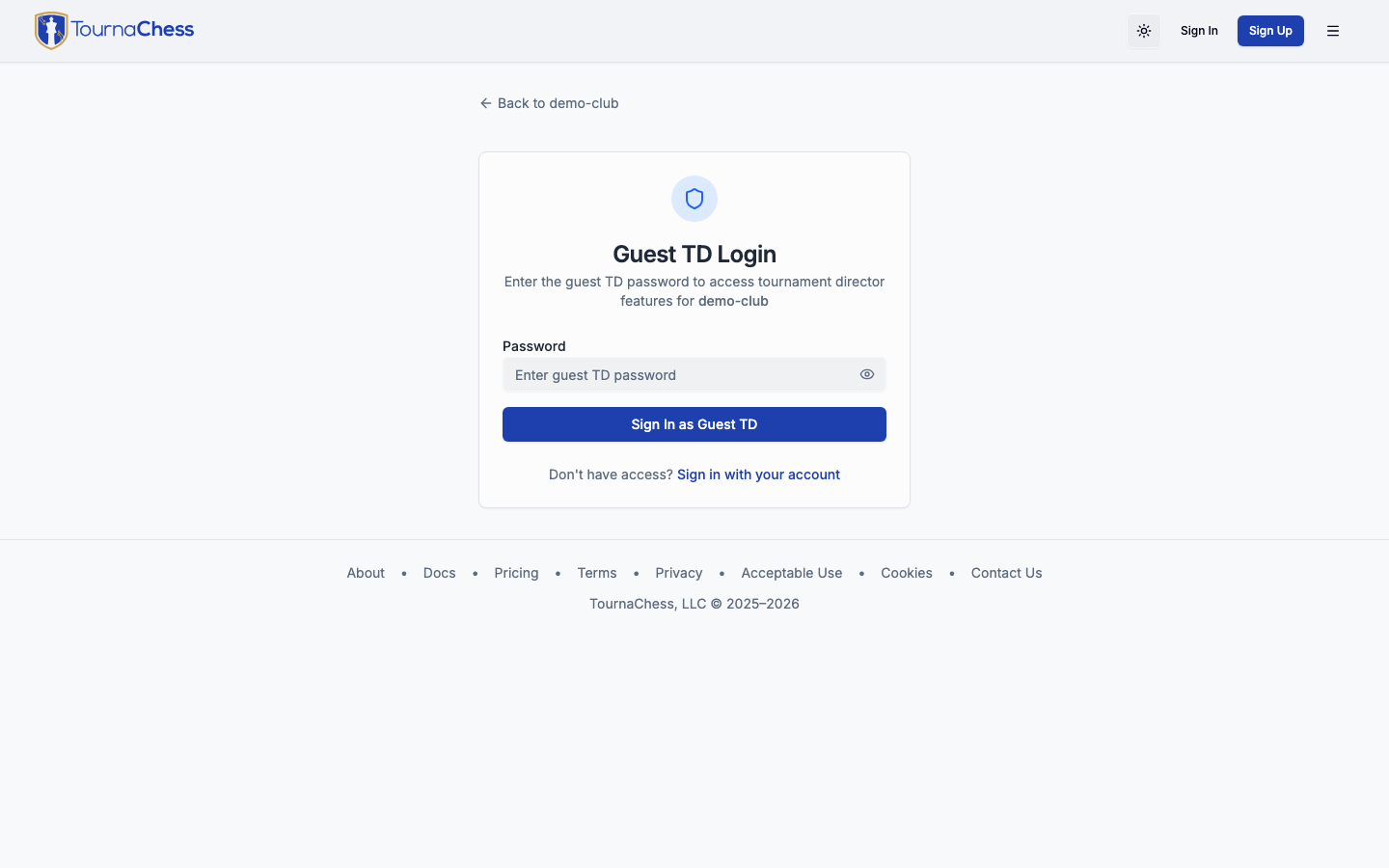
A Guest TD account is a single shared account that you create for your club. It is protected by a password that you set, and anyone with the password can log in through a dedicated login page for your club. Unlike regular TD accounts, Guest TD accounts are not tied to a specific person -- they are a shared credential that multiple helpers can use simultaneously. While the account exists, Recent Activity entries identify the shared Guest TD identity, not the individual helper. Disabling access deletes the account: those entries remain but no longer identify the Guest TD actor. Do not rely on this shared login for a durable, individually attributable audit trail.
Creating a Guest TD account
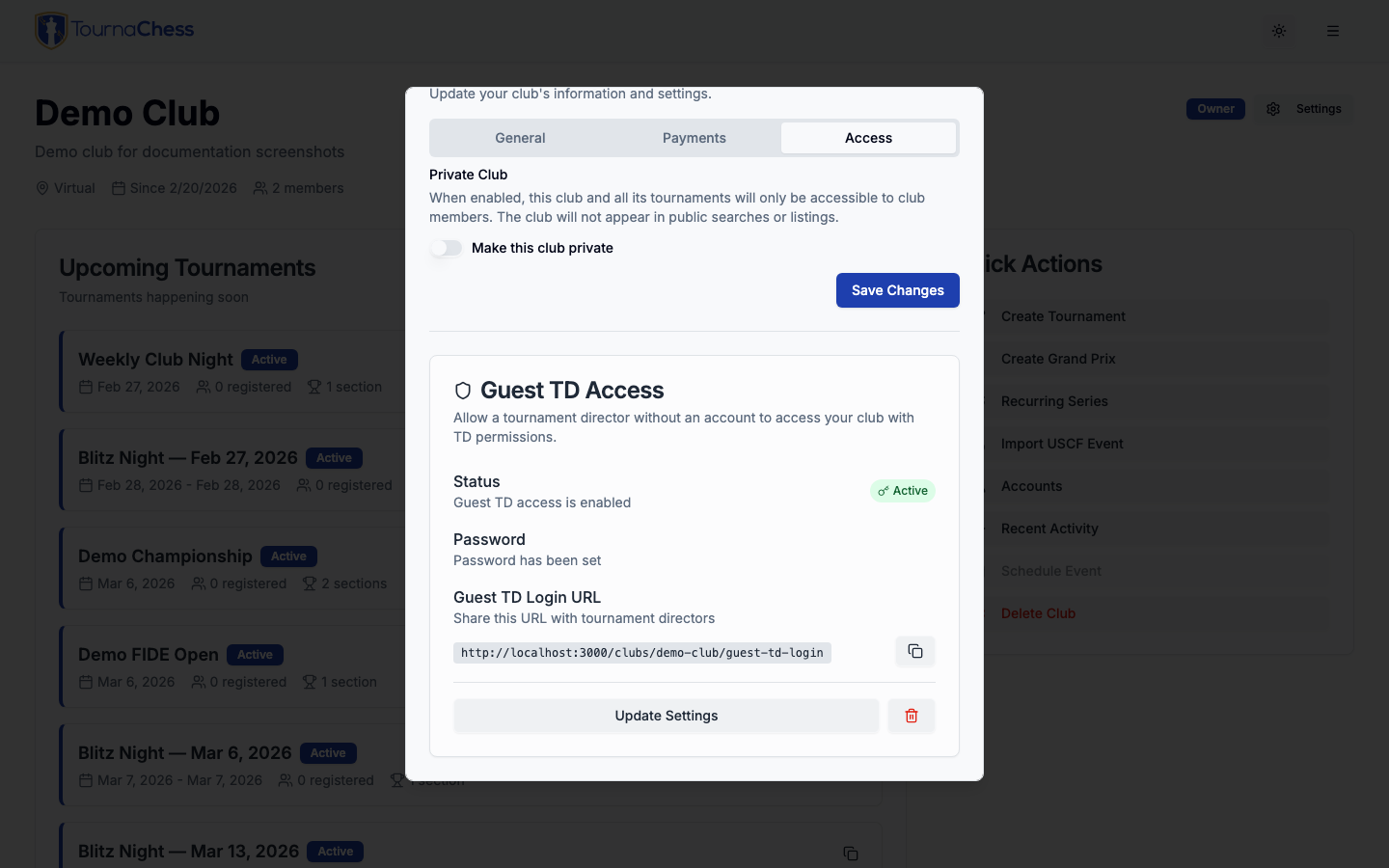
You set up your Guest TD account from the club settings dialog:
- From your club page, click Settings to open the settings dialog.
- Select the Access tab.
- In the Guest TD Access section, click Set Up Guest TD.
- Enter a password for the Guest TD account. Choose something easy to share verbally but not trivially guessable.
- Save the settings.
Once enabled, TournaChess generates a dedicated login URL for your club's Guest TD account. Copy this URL and share it with your helpers along with the password. They can bookmark it for future use.
You can update the password, disable Guest TD access, or re-enable it at any time from the same settings dialog.
What Guest TDs can do
A Guest TD has broad, club-wide Tournament Director permissions, with the exceptions listed below, including no ability to email players. Its access includes more than day-of result entry:
- Configure existing tournaments: Change tournament and section settings for any event in the club.
- Import tournaments: Add tournaments through the Chess.com, USCF, Caissa, and Lichess import workflows. Unlike normal creation and duplication, these imports do not require email verification. TournaChess-to-TournaChess import also permits Guest TD in development/preview deployments where it is available; that import is disabled in production.
- Manage registration: View entry lists, add or update players, and export tournament registrations and player records.
- Run tournaments: Generate pairings, enter results, manage byes and withdrawals, and publish standings.
- View club member information: Use the member views available to any club member.
These permissions apply to every tournament in the club, not just the event a helper is working on.
Sensitive participant data: Every helper using the shared password can access participant data across the club, not just results: email addresses, phone numbers, gender where available, payment amounts, dates and payment methods, entry options, discounts, manual-payment notes, and administrative notes. Payment metadata here means registration/payment records, not card numbers or security codes; raw Stripe payment/refund identifiers in registration details are reserved for Owners and Admins. Helpers can also download contact details through Player Records and tournament registration exports; registration exports include administrative notes and custom-field answers, with fields depending on what the event collects. Share this credential only with people you trust to handle and download that information.
No role has a separate club member or account-list export. Player Records covers tournament participants, not every club account; it and tournament registration exports are available to TDs, including Guest TD.
What Guest TDs cannot do
Guest TDs share regular Tournament Directors' club-level restrictions and have additional shared-account restrictions:
- Create or duplicate tournaments through the normal forms: Normal tournament creation and duplication, and creation of recurring or Grand Prix series, require a verified email address. The shared Guest TD account has no verifiable inbox, so use a personal Owner, Admin, or Tournament Director account with verified email for these workflows. Tournament imports are an exception, as described above.
- Email players: The shared Guest TD account cannot use Email Players on any plan. Use a personal Owner, Admin, or Tournament Director account with a verified email address in a club on the Club or Pro plan instead. See Running Tournaments.
- Manage club settings: Changing the club profile, defaults, integrations, and Guest TD access requires an Owner or Admin. The Settings link is hidden for Guest TD sessions.
- Manage membership: Guest TDs cannot invite or remove members or change roles, although they can view member information available to club members.
- Delete tournaments: Permanent tournament deletion requires an Owner or Admin.
- Manage the shared account as a personal account: The Guest TD identity has no personal email inbox or independent profile.
Keep Grand Prix bonus points on personal accounts
Do not use Guest TD to manage Grand Prix bonus points, even if the controls are available. Turning Guest TD access off deletes the shared account and any manual bonus-point awards it created, which can change Grand Prix standings. Use a personal Owner, Admin, or Tournament Director account for bonus-point management instead. This is a workflow safety limitation, not an enforced permission restriction.
When to use Guest TDs
Guest TD accounts are designed for trusted, short-term helpers who need director access without creating personal accounts. Common examples include a parent volunteer entering results at a scholastic tournament, a helper stationed at a results table during a large event, or a friend covering one section while you direct another. Because the credential is shared, use a personal TD account instead when you need individual accountability or access for more than a short event.
Tip: When an event is over and you no longer need helpers to have access, turn Guest TD access off from the same settings dialog. That removes the shared account, so anyone still signed in on it loses access to your club; it also removes the Guest TD actor label from past Recent Activity entries and deletes any manual bonus-point awards it created. Changing the password instead only stops new sign-ins -- a helper whose browser is still signed in keeps working until they sign out. Set the access up again, with a new password, the next time you need it.
Managing Roles
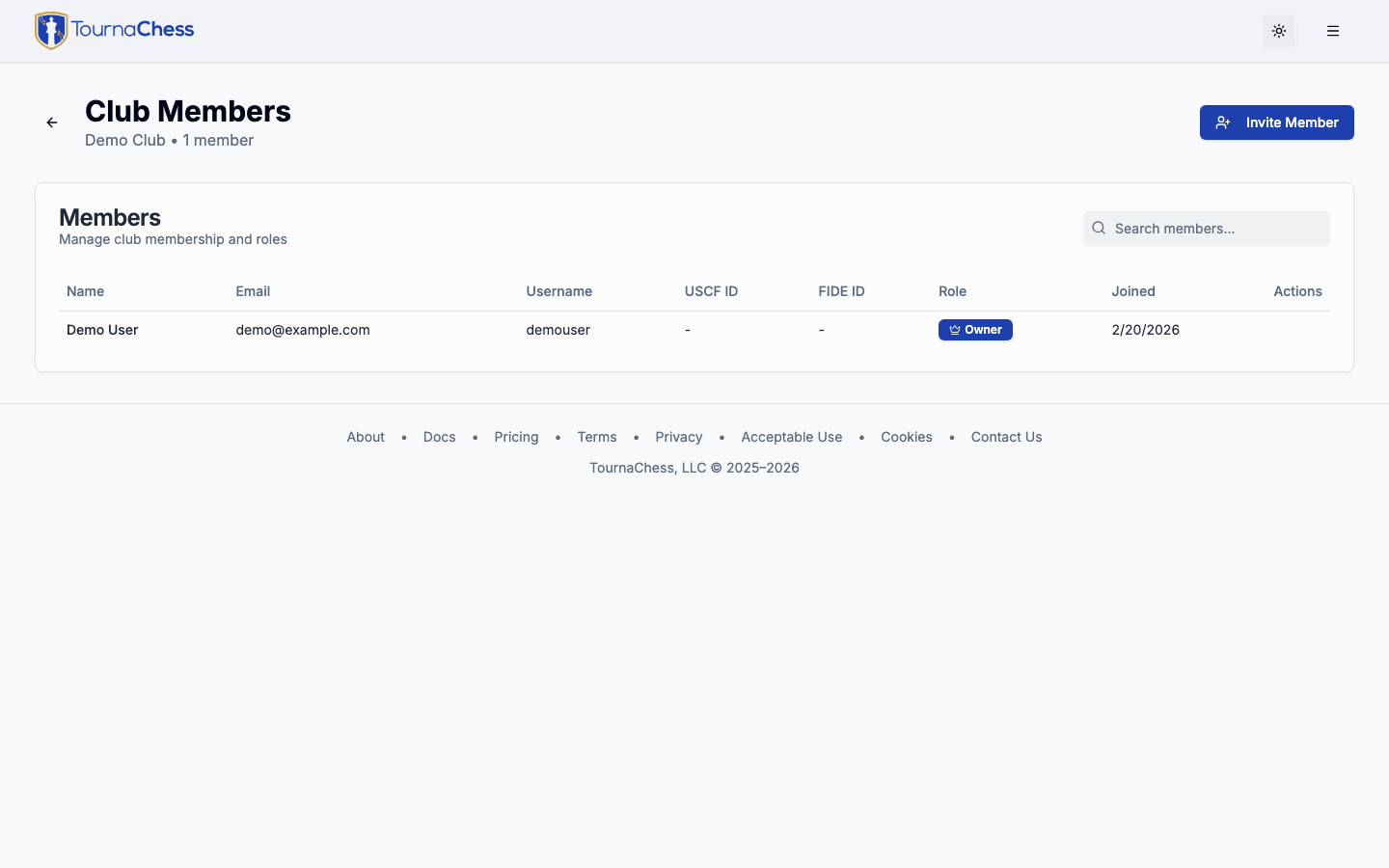
As your club evolves, you will need to promote, demote, and occasionally remove members. TournaChess provides straightforward tools for managing your team from the member management page.
Promoting members
Promoting a member gives them a higher role and the additional permissions that come with it.
- Owners can promote any member to Admin or Tournament Director.
- Admins can promote members to Tournament Director.
To promote someone:
- Navigate to your club's member management page.
- Find the member you want to promote.
- Select their new role from the role dropdown or action menu.
- Confirm the change.
The promotion takes effect immediately. The member gains access to all permissions associated with their new role the next time they load a page.
Demoting members
Demoting a member reduces their role and removes the associated permissions.
- Owners can demote Admins to TD or Member, and can demote TDs to Member.
- Admins can demote Tournament Directors to Member.
Admins cannot demote other Admins -- only the Owner can do that. And no one can demote the Owner.
Demotions take effect immediately. If a demoted member is currently logged in, their access is restricted the next time they navigate to a management page.
Removing members
Owners and Admins can remove members from the club.
- The member loses access to all club features immediately.
- Their past tournament results are preserved.
- They can rejoin the club if they receive a new invitation.
This is useful for members who have moved away, lost interest, or otherwise no longer need to be part of the club, but where you want to leave the door open for them to return.
Tip: Before removing someone, consider whether demoting them to Member might be sufficient. Members have read-only access and cannot make any changes to your club, which may be enough to address the situation.
Next Steps
Now that you understand how roles and permissions work, explore these related guides:
- Club Management -- Set up your club's settings, privacy controls, and member management workflows
- Creating Tournaments -- Learn how to create and configure tournaments as a TD, Admin, or Owner
- Running Tournaments -- Pairings, results entry, and round-by-round tournament management
- Grand Prix -- Create a multi-tournament series with cumulative standings across events
Still have questions? Visit our Contact page to get in touch with TournaChess support.