

Why Import from Chess.com?
TournaChess can import results from completed Chess.com live tournaments. This is useful when you want to:
-
Keep all your club results in one place. Whether your club runs over-the-board tournaments, online tournaments on Chess.com, or both, TournaChess gives you a single home for standings, history, and player records.
-
Submit online results to the USCF. Many clubs run USCF-rated online events on Chess.com. Importing the results into TournaChess makes it easy to generate the report needed to submit results to the USCF for official rating.
-
Accept registration and payment on TournaChess, then play on Chess.com. Create your tournament on TournaChess, collect registrations (with optional payment), run the actual games on Chess.com, then import the results back. TournaChess automatically matches Chess.com players to their registrations.
Prerequisites
Before you import:
- You need the Tournament Director role (or higher) in your club.
- You need the Chess.com tournament URL. Find it on Chess.com by navigating to the tournament page — the URL looks like
https://www.chess.com/tournament/live/your-tournament-name-12345.
Option 1: Import as a New Tournament
Use this when you want to bring a completed Chess.com tournament into TournaChess as a new tournament. This is the simplest option — you paste a URL and TournaChess creates the tournament, section, rounds, games, and player registrations automatically.
Steps
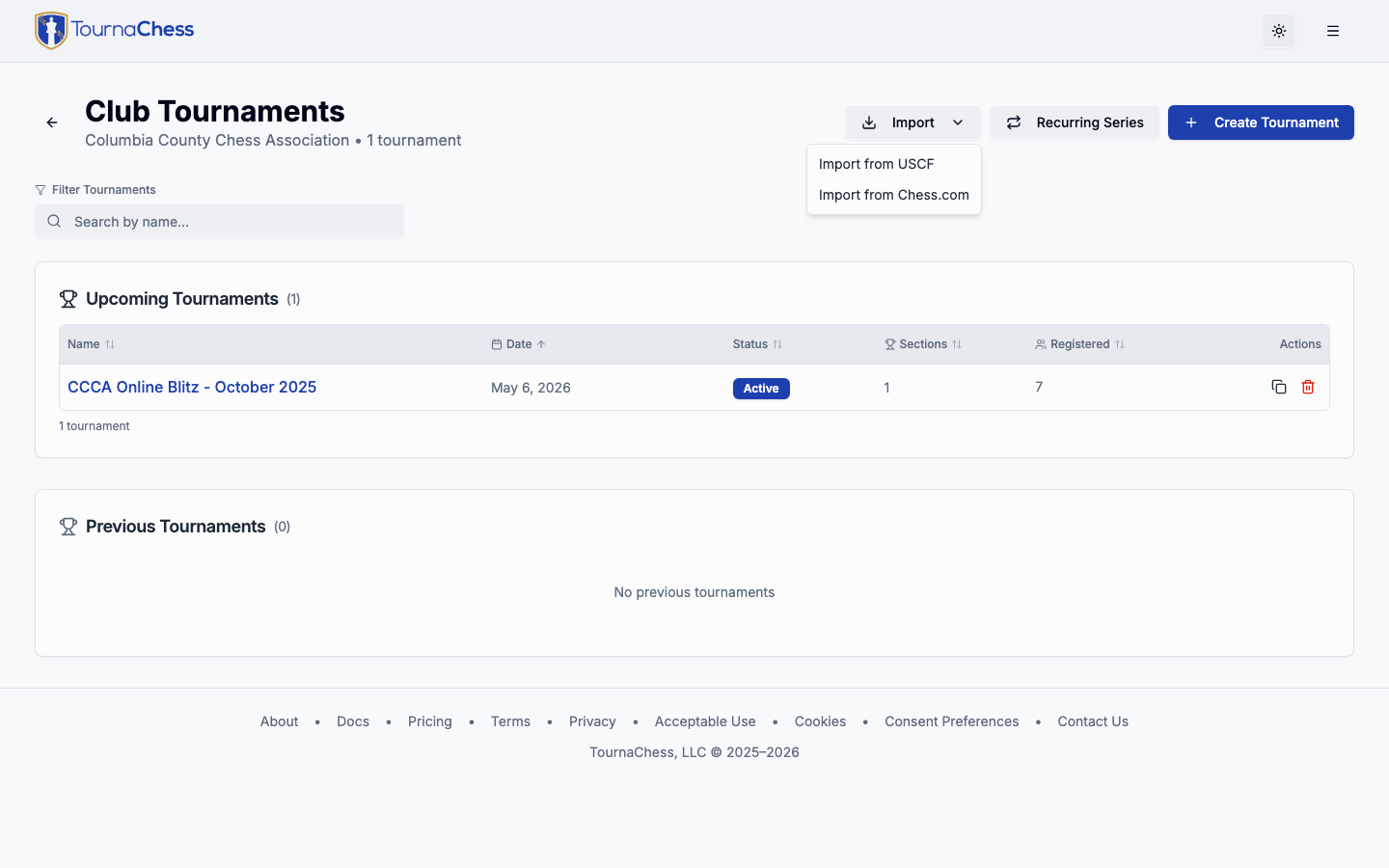
- Go to your club's Tournaments page.
- Click the Import dropdown and select Import from Chess.com.
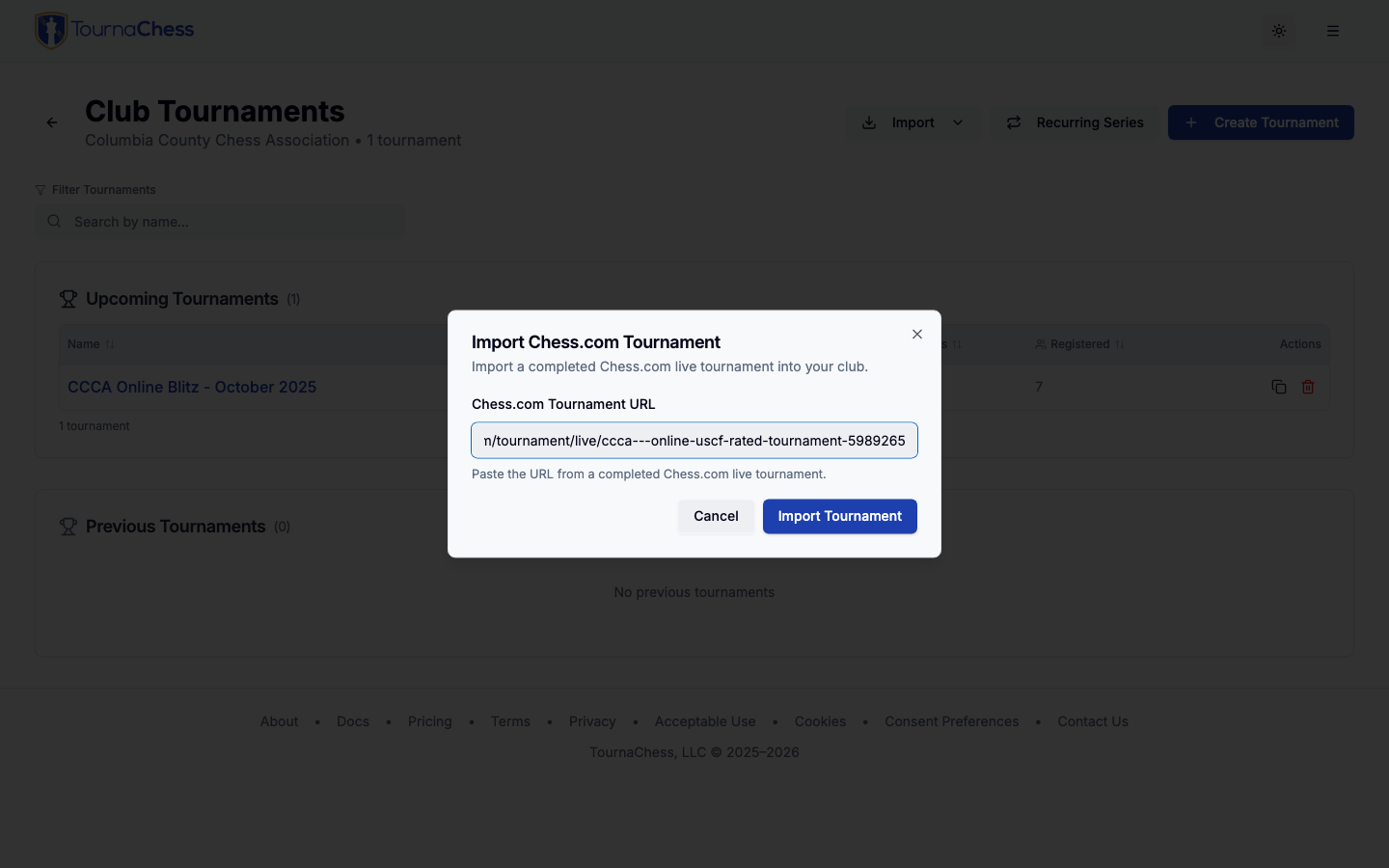
- Paste the Chess.com tournament URL and click Import Tournament.
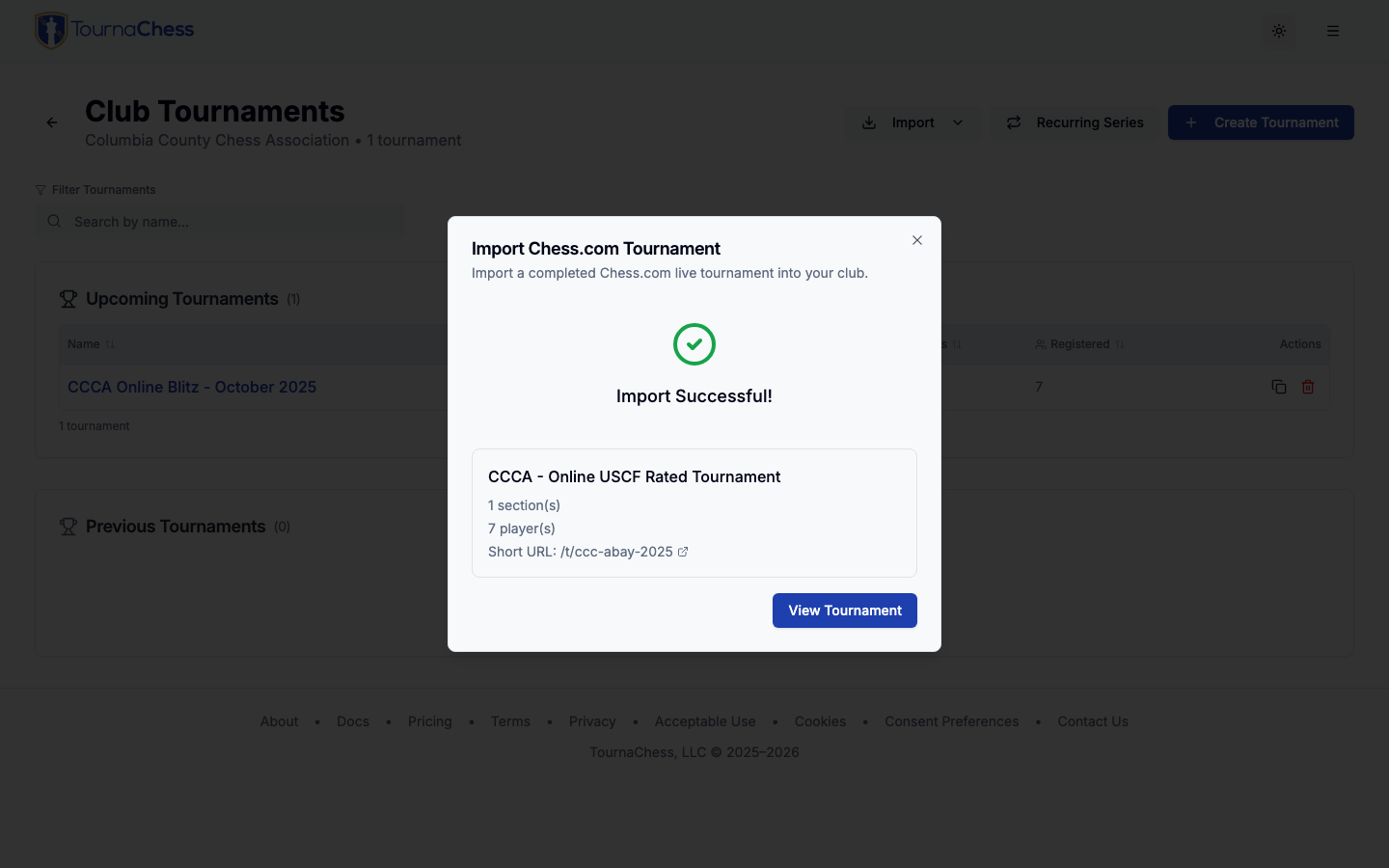
- When the import completes, you'll see a summary showing the tournament name, number of sections, and number of players. If any Chess.com players could not be matched to existing club members, they are imported using their Chess.com usernames. Click View Tournament to see the results.
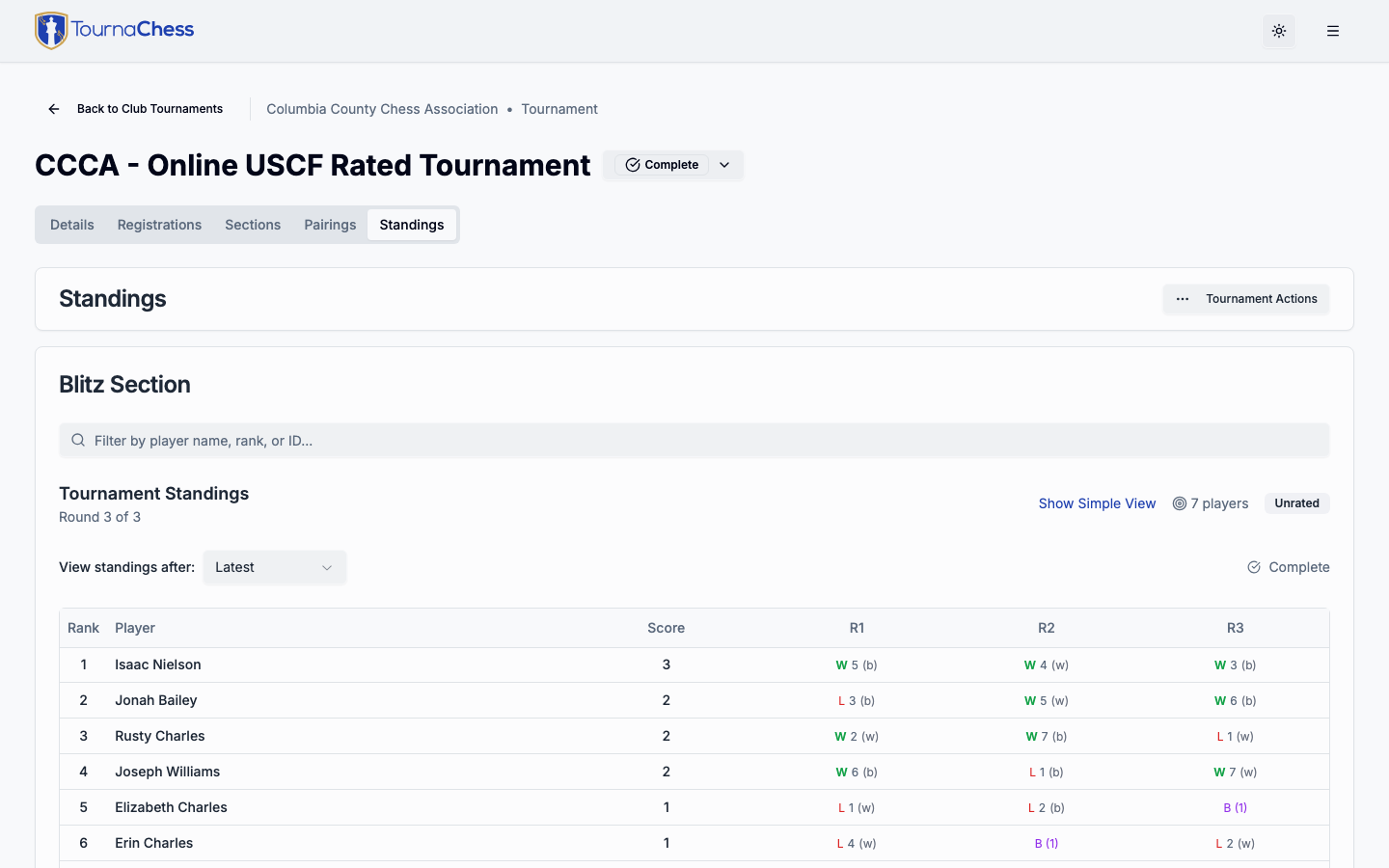
- The imported tournament includes full standings with scores, round-by-round results, and BYEs.
Option 2: Import into an Existing Tournament
Use this when you want to accept registrations (and optionally collect payment) on TournaChess before the tournament is played on Chess.com. This workflow lets TournaChess match Chess.com results to the players who registered.
Setting Up
-
Create your tournament on TournaChess as usual — set the name, date, sections, and time control.
-
Enable the Chess.com username field on each section. Go to Sections → edit the section → under Registration Fields, set the Chess.com Username field to Optional or Required. This lets players provide their Chess.com username when they register.
-
Activate the tournament and share the registration link. Players register on TournaChess (and pay, if configured) and enter their Chess.com username.
For a TD-managed event there is no registration link to share -- add each player from the Registrations tab and fill in their Chess.com username yourself. Result matching works the same way either route.
If you already have the usernames in a spreadsheet -- a sign-up form's responses, or last season's export from TournaChess -- import the roster instead of typing them in. A Chess.com Username column is read like any other, so the players arrive ready to match.
-
Run the tournament on Chess.com. Players play their games on Chess.com as usual.
Importing the Results
Once the Chess.com tournament is finished:
-
Open your tournament on TournaChess. The Actions menu is the same on every tab, so it does not matter which one you are on.
-
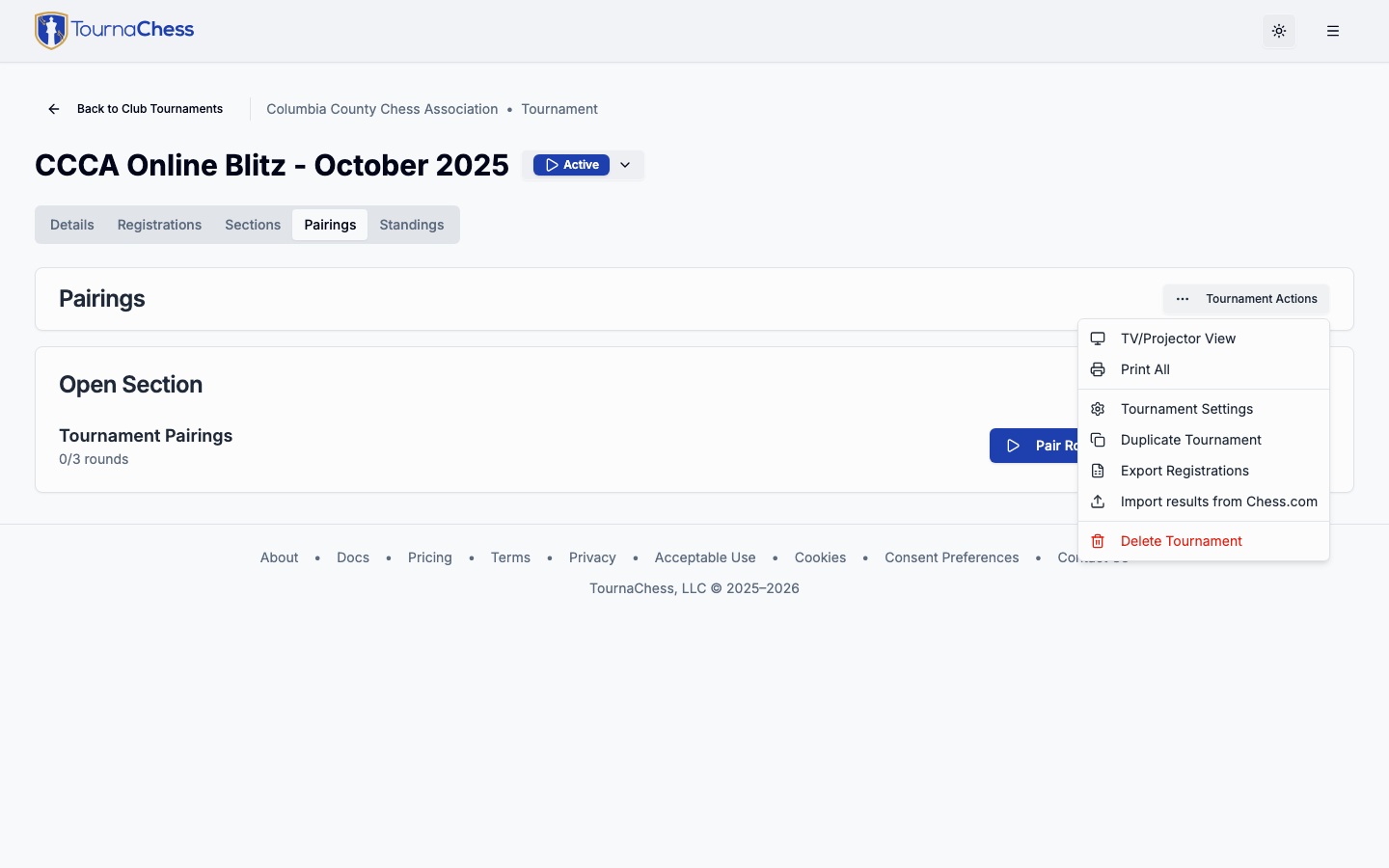
Click Actions (the ... menu) and select Import → Import results from Chess.com.
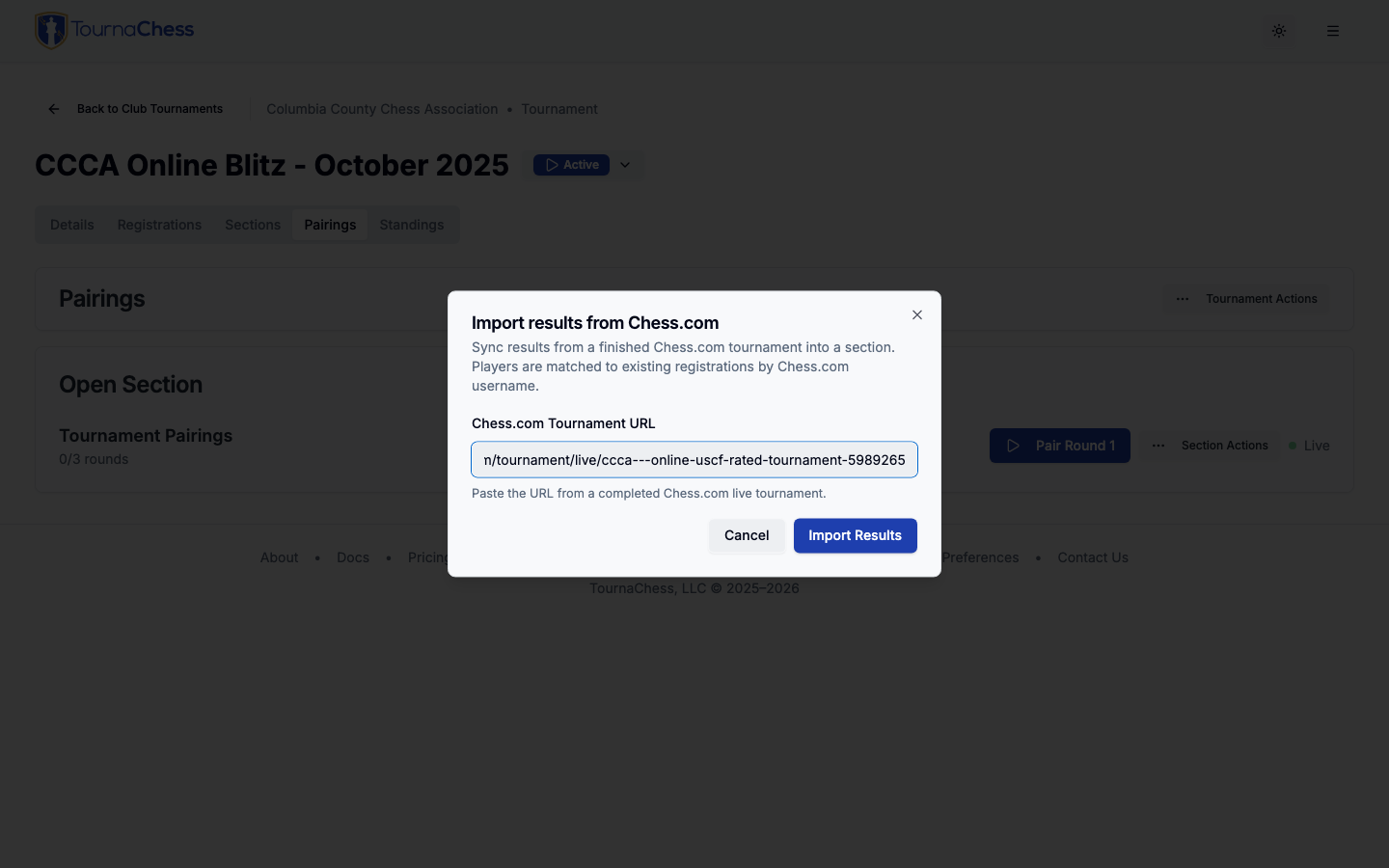
- Paste the Chess.com tournament URL and click Import Results.
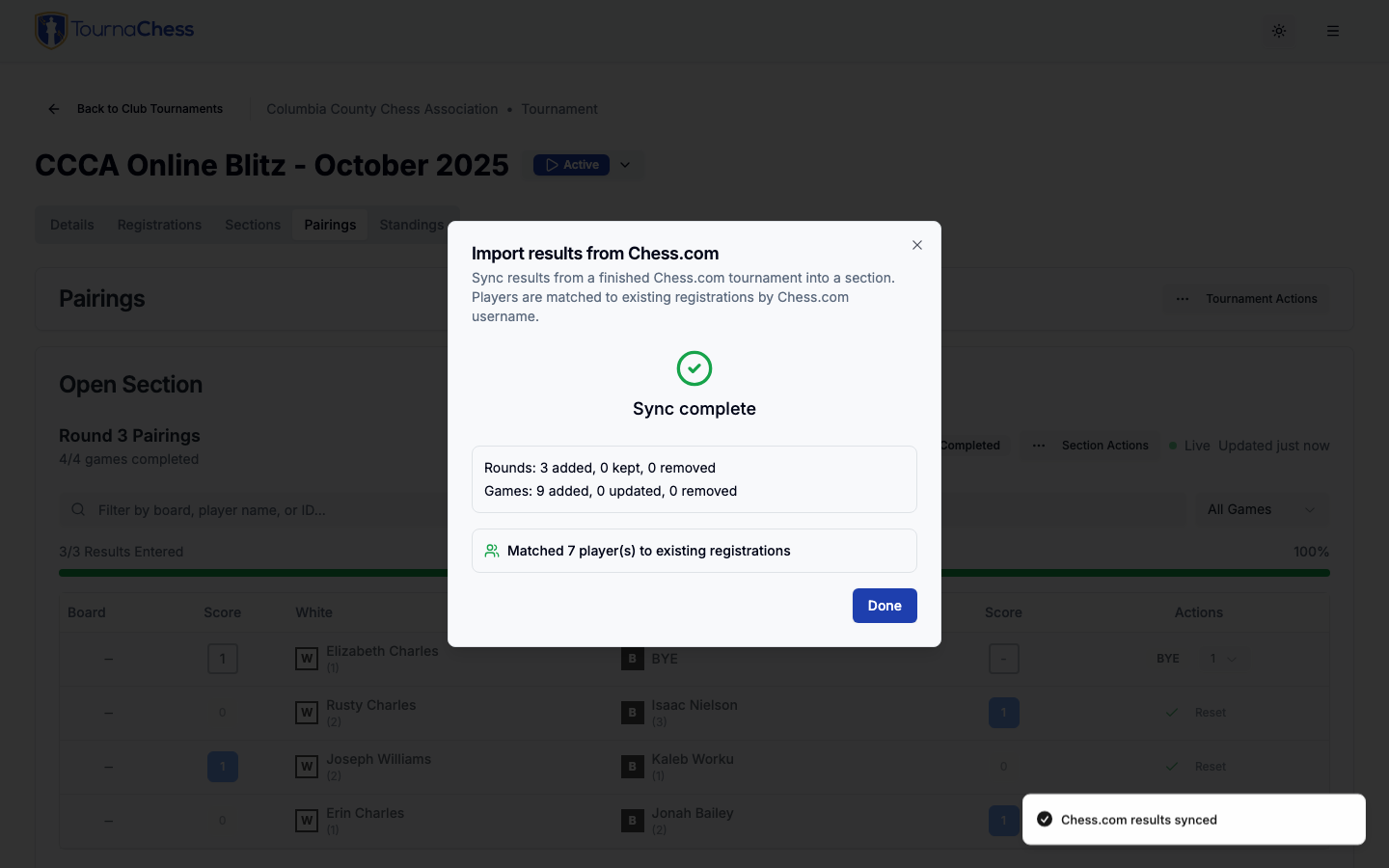
- TournaChess matches Chess.com players to your existing registrations by Chess.com username. The summary shows:
- Matched players — Chess.com players matched to existing registrations.
- New registrations — Chess.com players with no matching registration. These are created automatically.
- Rounds and games — How many rounds and games were imported.
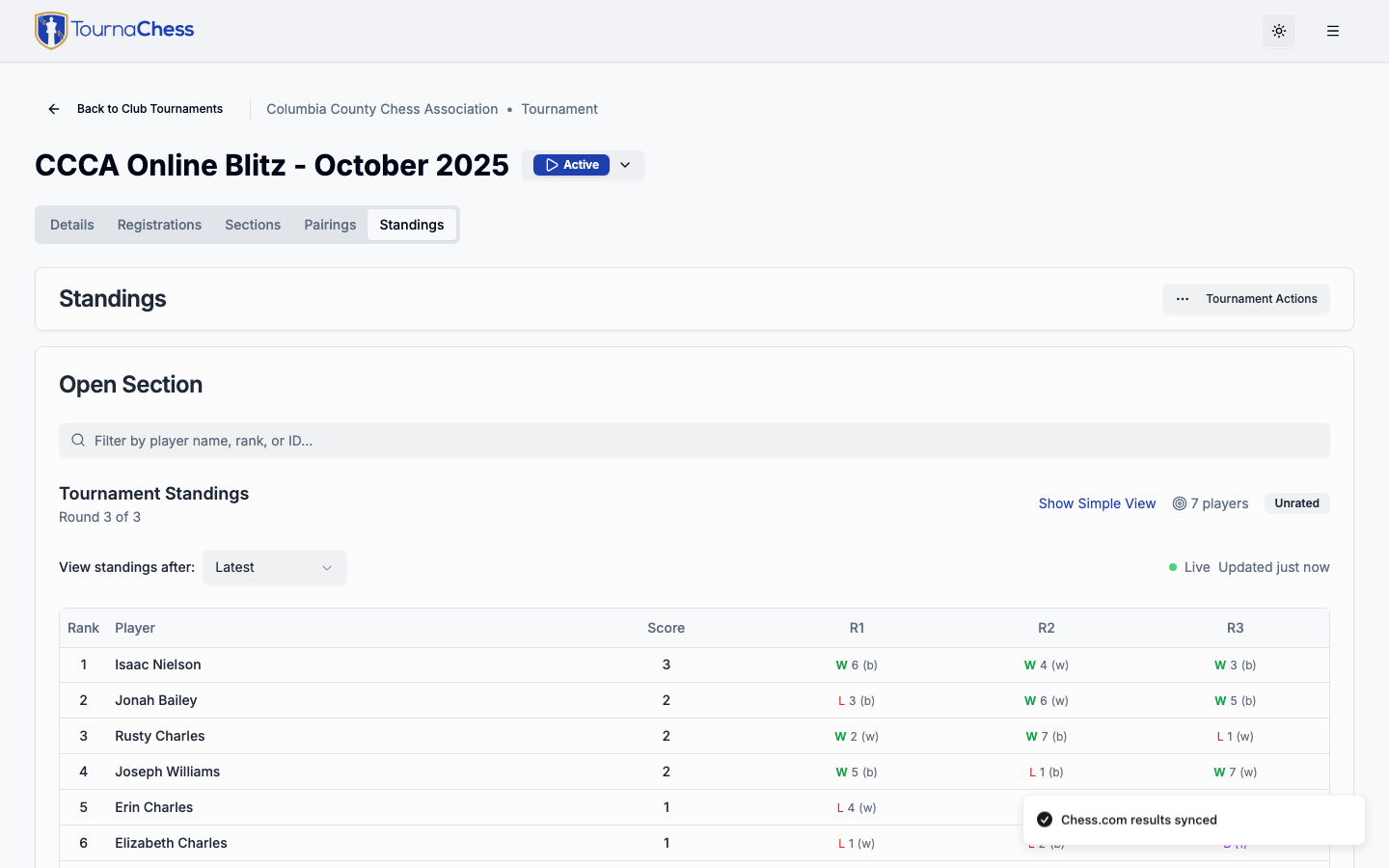
- The imported results now appear in the standings with real player names from the registrations.
How Player Matching Works
When importing into an existing tournament, TournaChess matches players by comparing each Chess.com player's username against:
- The Chess.com username entered during registration (the
cachedChesscomUsernamefield). - The Chess.com username on the club member's account profile.
If a Chess.com player can't be matched, TournaChess creates a new guest registration using their Chess.com username. You can link these to club members later from the Registrations tab.
After Import
Once imported, the tournament works like any other TournaChess tournament:
- Standings are computed from the actual game results, including scores, wins/losses/draws, and BYEs.
- Games decided on the clock count as played games, not forfeits. Only a no-show — a player who never arrived — is recorded as a forfeit. The difference matters for USCF submission and for prizes that exclude forfeits.
- Re-import is supported — if results change on Chess.com (corrections, late games), you can import again and TournaChess will update the results.
- USCF submission — if the tournament is USCF-rated, you can generate and submit the results report from TournaChess.