

Player Check-In
The check-in system lets tournament directors track which players have arrived at the venue before the first round begins. When check-in is enabled, a check-in column appears on both the registrations table and the TV/projector display, giving you and your players a clear view of who is present and who is still missing.
Enabling Check-In
Check-in is off by default. To enable it:
- Open your tournament. The Actions menu is the same on every tab, so it does not matter which one you are on.
- Click Actions in the upper right.
- Select Show Check-in from the dropdown menu.
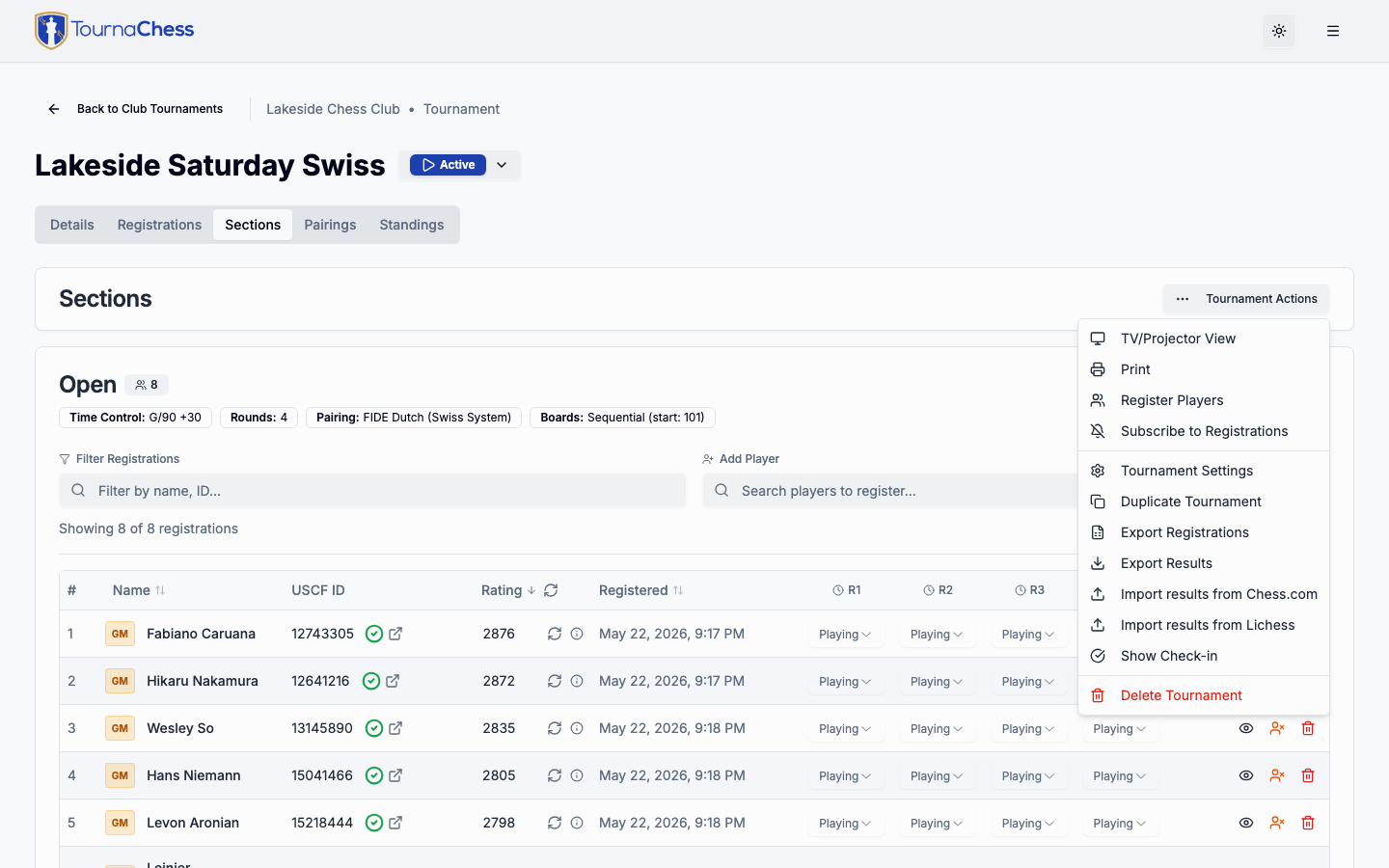
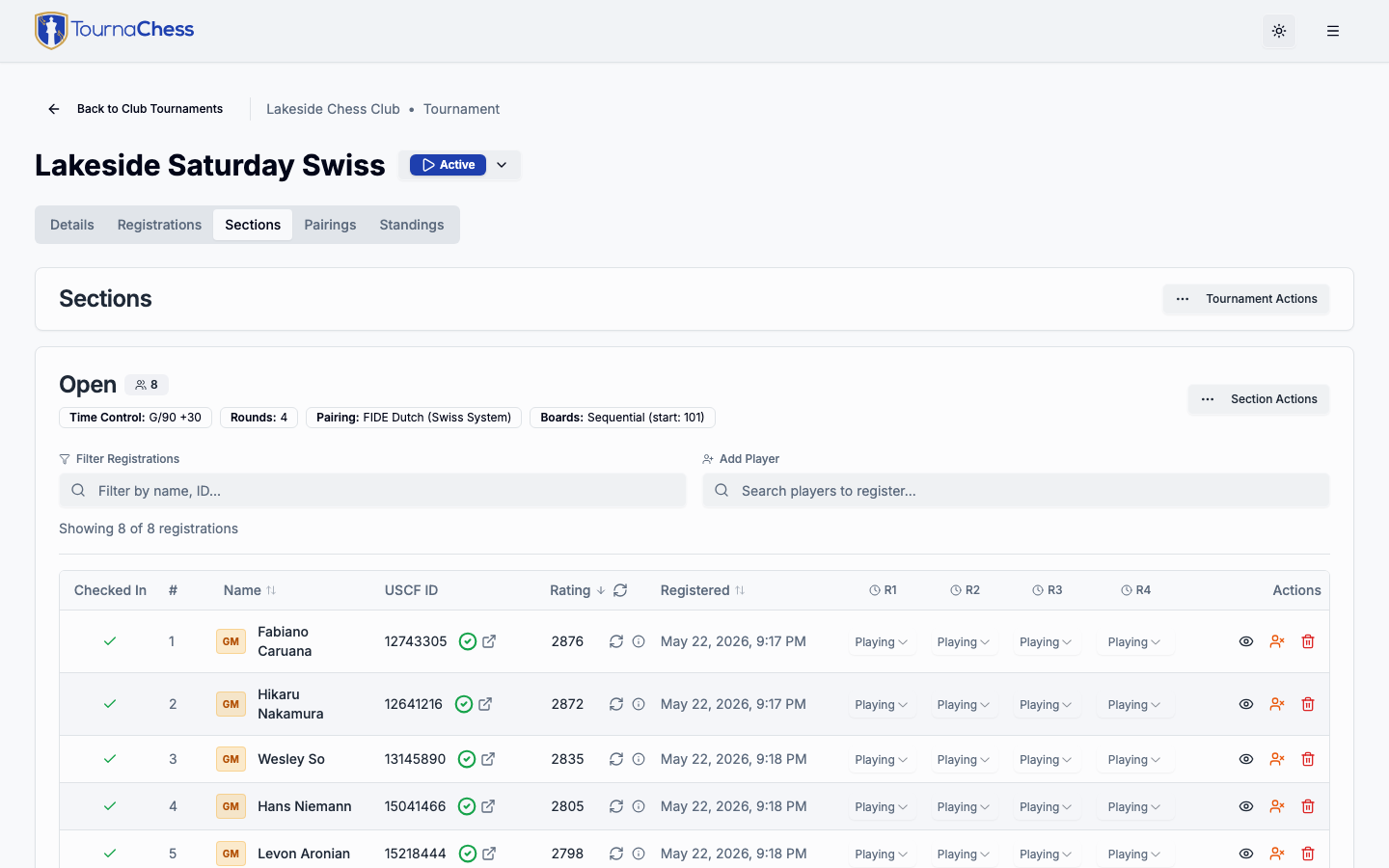
A Checked In column immediately appears in the registrations table and on any active TV/projector displays showing the Sections view. To hide it again, open the same menu and select Hide Check-in.
Checking In Players
Once check-in is enabled, each player row in the registrations table shows a check-in indicator. To mark a player as checked in, click the indicator next to their name. A green checkmark confirms they have arrived.
To undo a check-in -- for example, if you marked the wrong player -- click the indicator again to toggle it back.
What check-in does
Check-in is a simple on/off indicator for tournament logistics. It does not affect pairings, standings, or any other tournament operations. A player who is not checked in can still be paired and play normally.
Check-In on TV and Projector Displays
When check-in is enabled and the Sections view is active on a TV or projector, the display shows the check-in status for every player listed. This is useful for posting near your venue entrance so players can confirm their arrival was recorded without approaching the TD table.
Per Round tournaments: the Sections display lists only the players due to play the current or next round, so a player registered for a later round -- or taking a BYE for this one -- will not find themselves on it. Use the registrations table to confirm check-in for everyone. See TV & Projector Displays for what the display shows in each registration mode.
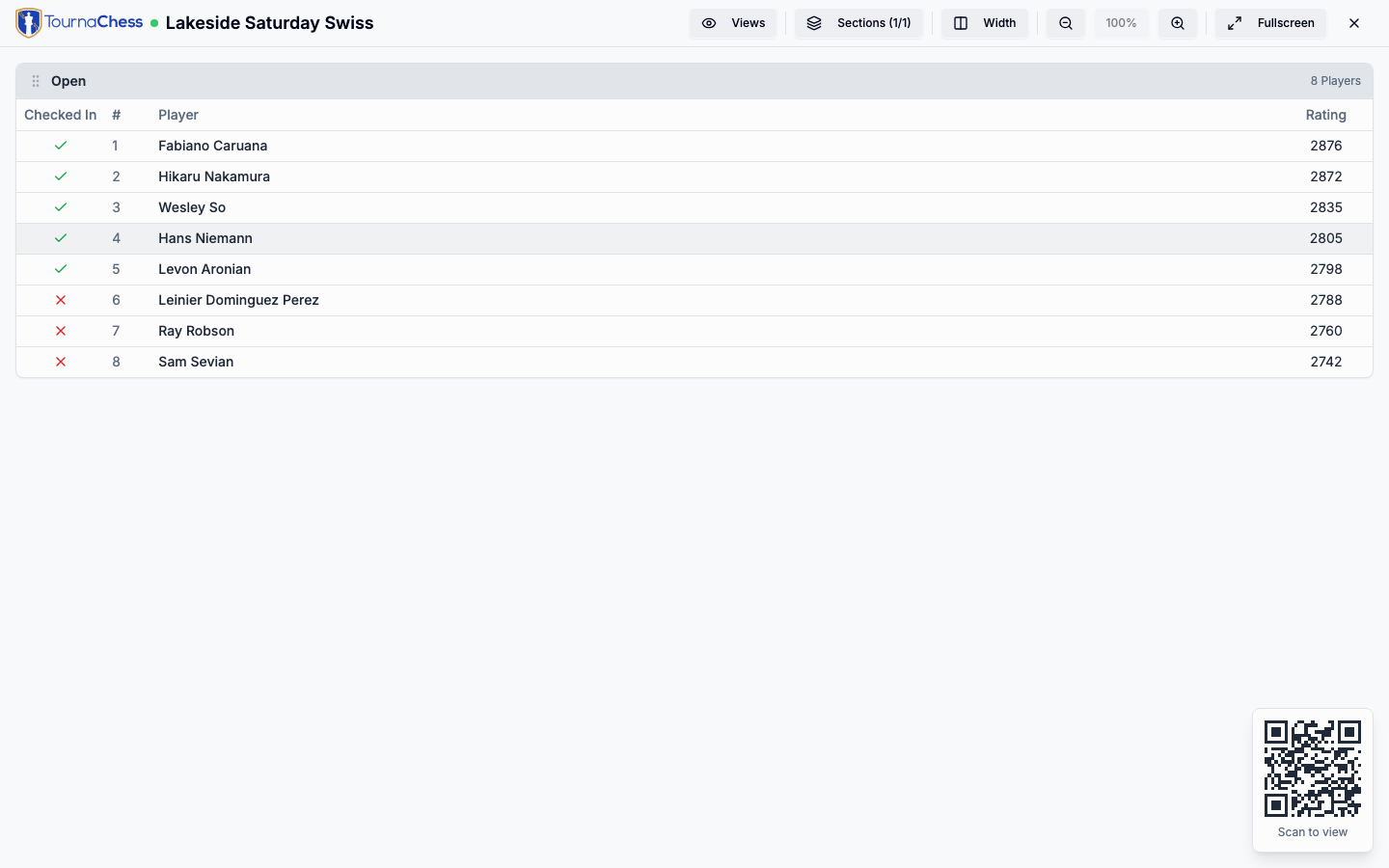
The display updates automatically as you check in players from the management page. There is no need to refresh the display device.
Tip: Set up a Sections display near your registration desk on tournament morning. Players can glance at the screen to confirm they are checked in, reducing the number of "am I registered?" questions you field before the first round. In a Per Round event this works best before round one, when everyone playing that night is on the list.
Still have questions? Visit our Contact page to get in touch with TournaChess support.